AI trip planner for itineraries you will actually use
Tell Tripski where you are going and when. Get a day-by-day plan you can edit, keep on the trip, and live in — not a one-shot chat dump.

How the planner works
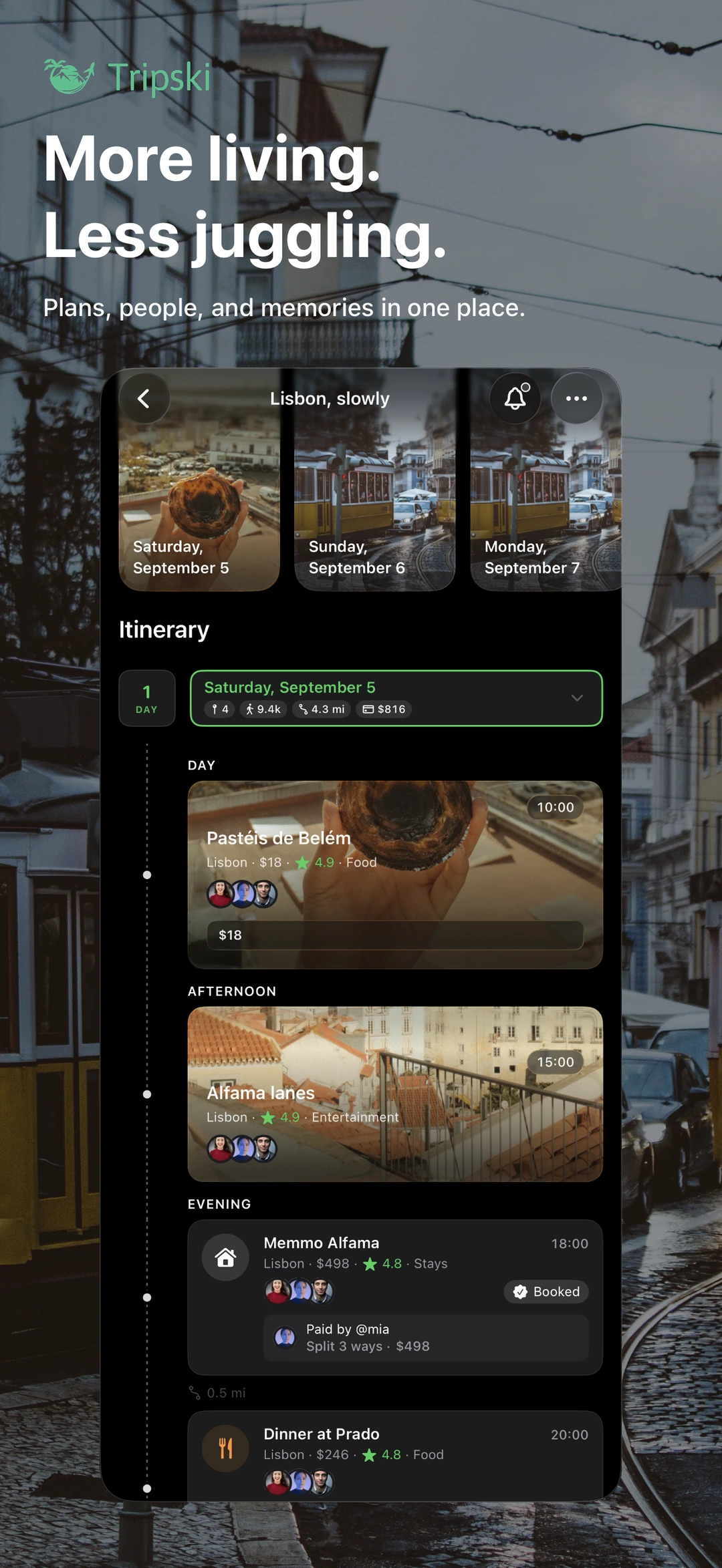
Open the trip planner in the app, enter a destination and dates, and (if you want) adjust pace, interests, and budget style. Those preferences live under Settings → Travel Preferences, so you do not re-explain yourself on every trip. Tripski generates a day-by-day itinerary you can read like a schedule: mornings, afternoons, and evenings with places and notes.
The output is a draft, not a contract. You review it, drop what does not fit, rewrite what is off, and add the rest to your trip timeline. Planner items can stay as notes, or you can turn them into real experiences and expenses once you are on the ground. That is the difference between a generic “AI itinerary” PDF and a trip you keep living in.
Bookings you already have
If flights or hotels are already booked, you do not have to retype every confirmation. In Settings → Email Automation you get a personal forwarding address. Forward booking emails from the inbox you register, and Tripski can parse them into trip or experience details. Keep that address private — it is yours, not a public drop box.
Credits, free use, and Premium
Planning uses credits. Free accounts get a one-time bundle of planning credits at signup. Premium (monthly or annual, billed through the App Store) refreshes planning credits each month. Optional credit packs are available in-app if you need more for a busy season. The planner is part of the same free app as the rest of Tripski — you are not buying a separate AI product.
Core trip features stay available without Premium: trips, the diary, expenses, sharing, and optional place detection. Premium mainly adds storage, monthly planning credits, longer videos, and higher photo-import limits. See the FAQ for the current free vs Premium split.
The itinerary sits on a real trip
A plan you cannot attach to the rest of the trip is just another note. In Tripski the itinerary lives next to the timeline, companions, and map. When you travel, optional place detection can suggest stops you lingered at. You confirm or dismiss each suggestion — nothing is added silently. Photo and video memories attach to the trip or a specific experience. Expenses split across the people on that trip.
In destinations Tripski covers, you can also open treasure hunts from the app menu and play a city location hunt without leaving the trip you already planned.
Who this is for
Use the AI trip planner when you want a starting itinerary for a city break, a longer route, or a first pass you will edit with friends. It is not a replacement for local knowledge, visas, or live transit. It will not lock you into a sponsored list of attractions. You stay the editor.
Tripski runs on iPhone and iPad. Download it free, generate a first plan, and treat the result as yours to keep, cut, and travel.
Get Tripski
Free on iPhone and iPad. Premium is optional and billed through the App Store.