Split travel expenses with the people on the trip
Log who paid, split the cost across travelers, and settle up when you are ready — in the same app as the itinerary and the diary.

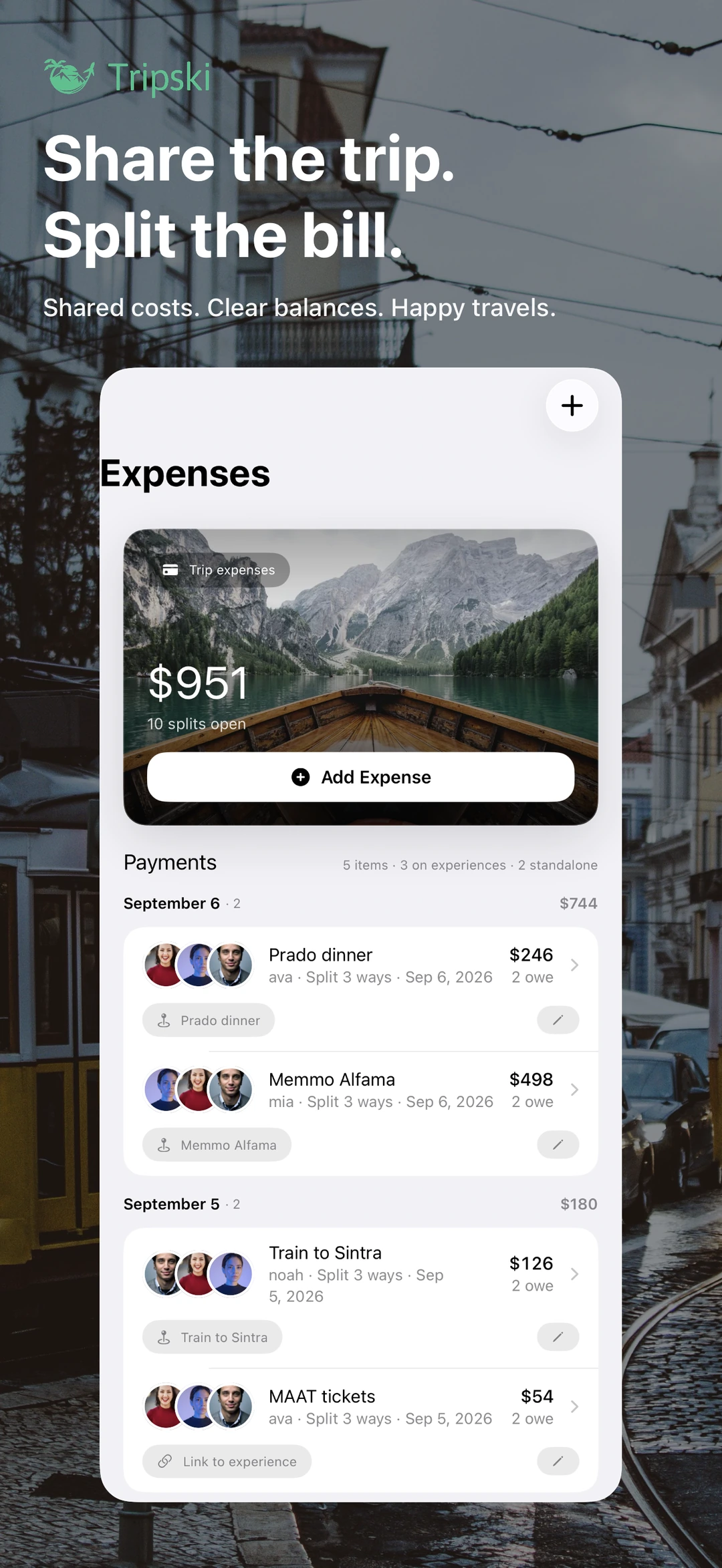
Expenses live on the trip, not in a side spreadsheet
Most trip-splitting tools are a second app you remember after dinner. In Tripski a payment sits on the same trip as the itinerary, the people, and the memories. Add a payment with who paid, the amount, the currency, and what it was for, then assign how the cost is split across travelers on that trip.
You can add travelers so they appear on experiences, expenses, and activity. Travel Buddy groups in Settings are for people you travel with often, so you are not rebuilding the same roster every weekend. Trip admins control who is on the trip and how expenses are split.
Multiple currencies, one settle-up
Trips cross borders. Tripski supports multiple currencies and converts amounts using exchange rates so everyone sees familiar numbers. You do not have to pick a single “trip currency” and mentally convert every coffee.
The Settle Up screen shows who owes whom. Use a simplified “suggested” settlement with fewer transfers when you want to cash out quickly, or a detailed view of every balance when you want the full ledger. Record settlements when you pay each other back. Past settlements stay in trip history, so last night’s pizza does not vanish when you tap done.
What it is not
This is trip-scoped splitting for people on a trip — not a bank, not a tax package, and not an IOU graph of everyone you have ever met. It does not move money for you. You still pay each other however you already pay (cash, Venmo, a shared card). Tripski keeps the record so the argument is about dinner, not arithmetic.
Attach an expense to a real stop when that is what you spent on. Attached items follow the same traveler tags as the experience, with room to untag someone who sat that one out.
Same trip as the diary and the plan
Split bills next to the AI trip planner and the automatic travel diary. Optional place detection can suggest a restaurant you lingered at; you confirm it, add the bill, and split it with the people who were there. In some cities a walking tour is another stop on that same timeline — not a separate app with a separate receipt pile.
Expense splitting is part of the free app on iPhone and iPad. Download Tripski, add the people on the trip, and log the first payment before the first round of “I’ll get the next one.” More detail is in the FAQ.
Get Tripski
Free on iPhone and iPad. Premium is optional and billed through the App Store.